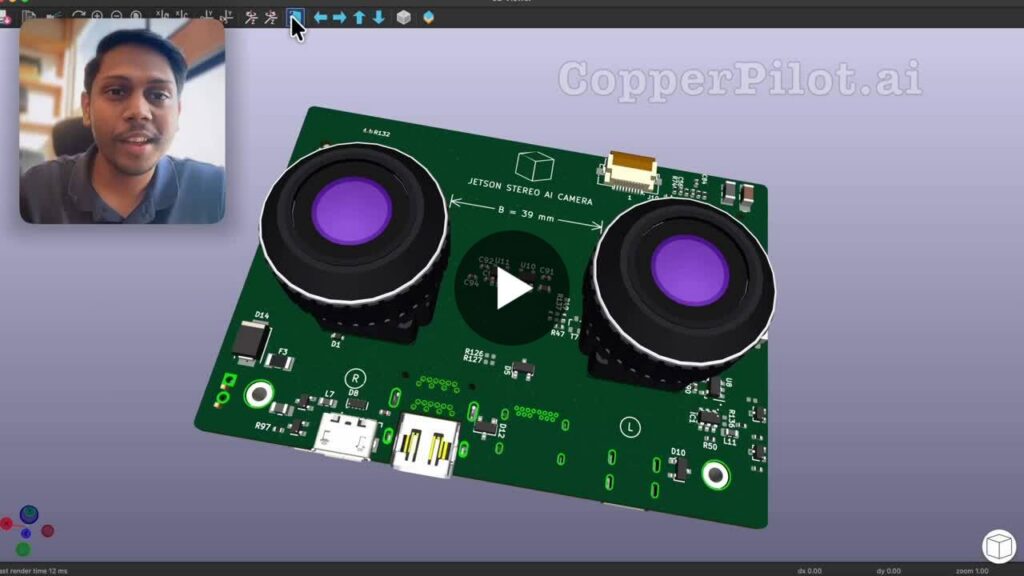
Robotics, autonomous-vehicle, and drone teams keep asking for the same thing: building a Jetson carrier board with the cameras already on it. This one is credit-card-sized. Two cameras sit 39 mm apart on one side. A Jetson Nano sits on the other. Eight layers, wired and routed in KiCad.
I did not ask CopperPilot for the whole board in one prompt. I asked it to plan with me first. It came back with the questions that actually change the outline: barrel jack or not, Ethernet or not, how big. We kept it small. No Ethernet, no SSD, no barrel jack. Power is a two-pin header. Two cameras, wired over CSI, and a plan that showed the width, the height, and how the left and right cameras meet the Jetson Nano.
Then build. The schematic came back as a multi-page design: both cameras, the module connectors, status LEDs and buttons, a 5 V 8 A rail, power sequencing, 3.3 V, and a fan. I reviewed it in KiCad before layout.
The first layout was wrong. The cameras were rotated, they were not symmetric, stray zones were sitting on the board, and the outline was too narrow for the Jetson Nano. I said so. CopperPilot cleaned the zones, widened the board, and put the cameras on a 39 mm baseline with silk that marks left, right, and that spacing.
Routing was its own plan, split into six phases: the 5 V buck, camera power, display, USB and USB-C, the camera and control buses, then ground ties. After each phase I checked the copper against the schematic. Passives sat next to the regulator. One odd 5 V and ground pad pattern on the bottom of that part matched the footprint, not a guess.
A detailed spec, references, a clear goal, and a way to check the result. That is why CopperPilot is the best AI for PCB design.